







Ads

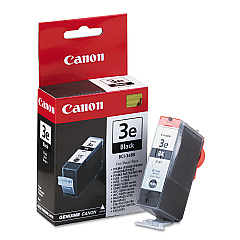
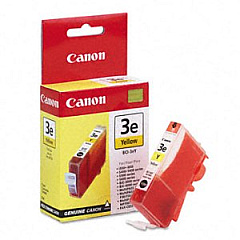
Canon i560 Black Ink Cartridges

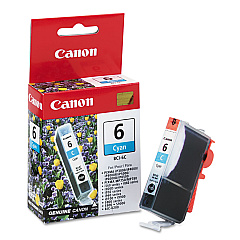
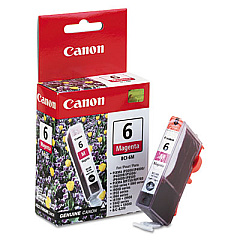
Canon i560 Color Ink Cartridges

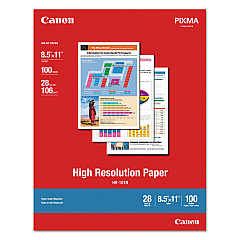
Canon i560 Photo Paper

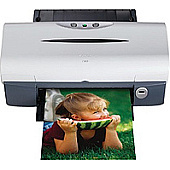
Enhance your printing experience with genuine Canon i560 Ink Cartridges, designed to deliver exceptional quality and reliability. The Canon i560 printer utilizes a versatile set of ink cartridges, including the Canon BCI-3eBk Black Ink Cartridge for crisp text and bold graphics, along with the Canon BCI-6C Cyan, BCI-6M Magenta, and BCI-6Y Yellow Ink Cartridges for vibrant color output. These high-performance inks ensure your documents and photos look their best, whether you're printing for business presentations, educational materials, or creative projects. With long-lasting results and fade-resistant properties, Canon i560 Ink Cartridges provide consistent, professional-quality prints that make a lasting impression. Trust in the reliability and superior performance of genuine Canon ink cartridges to keep your i560 printer running smoothly and producing outstanding results page after page.

Canon i560 Ink Cartridges FAQs

  • How long do Canon i560 Ink Cartridges typically last?

    The lifespan of Canon i560 Ink Cartridges varies depending on usage, but they generally last for 300-400 pages for color cartridges and 500-600 pages for black cartridges.

  • Can I use third-party ink cartridges in my Canon i560 printer?

    While third-party cartridges may work, using genuine Canon ink cartridges is recommended for optimal print quality and to avoid potential damage to your printer.

  • How do I know when it's time to replace my Canon i560 Ink Cartridges?

    Your printer will display a low ink warning when cartridges are running low. You may also notice a decrease in print quality or faded output.

  • Are Canon i560 Ink Cartridges recyclable?

    Yes, Canon offers a recycling program for used ink cartridges. You can return them to Canon or participating retailers for proper recycling.

  • Can I refill my Canon i560 Ink Cartridges?

    While it's possible to refill cartridges, it's not recommended as it may affect print quality and potentially damage your printer. It's best to use new, genuine Canon cartridges.

  • How should I store unused Canon i560 Ink Cartridges?

    Store unused cartridges in a cool, dry place away from direct sunlight. Keep them in their original packaging until ready for use to prevent drying out.

  • What's the difference between dye-based and pigment-based inks in Canon i560 cartridges?

    The Canon i560 uses dye-based inks for color cartridges (BCI-6C, BCI-6M, BCI-6Y) and pigment-based ink for black (BCI-3eBk). Dye-based inks offer vibrant colors, while pigment-based inks provide sharper text and better water resistance.

  • Can I use Canon i560 Ink Cartridges in other Canon printer models?

    Canon i560 Ink Cartridges are designed specifically for the i560 model. While they may fit in some other Canon printers, it's best to check your printer's manual for compatibility.

  • How do I properly install Canon i560 Ink Cartridges?

    Open the printer's front cover, wait for the cartridge holder to move to the center, remove the old cartridge, insert the new one until it clicks, and close the cover. Follow on-screen prompts to complete the installation.

  • What should I do if my Canon i560 printer doesn't recognize a new ink cartridge?

    Ensure the cartridge is properly seated and the protective tape is removed. Clean the cartridge contacts and try reinstalling. If issues persist, the cartridge may be defective or incompatible.

Warehouse Locations

Policy & Agreement | Copyright © 1995-2026 BlueDogInk.com
