







Ads

Canon i550 Black Ink Cartridges

Canon i550 Photo Paper

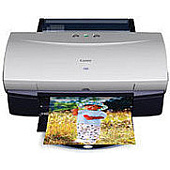
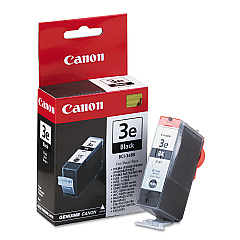
Enhance your printing experience with genuine Canon i550 Ink Cartridges, designed to deliver exceptional quality and reliability. The Canon i550 printer relies on the high-performance Canon BCI-3eBk Black Ink Cartridge to produce crisp, professional-grade text and images. These cartridges are engineered to work seamlessly with your Canon i550 printer, ensuring consistent output and preventing potential damage to your device. Whether you're printing important business documents, school assignments, or creative projects, Canon i550 Ink Cartridges provide the perfect balance of affordability and superior print quality. With their long-lasting formula, you'll enjoy extended use between replacements, making them an economical choice for both home and office environments. Trust in the authentic Canon i550 Ink Cartridges to bring your ideas to life with vivid, smudge-resistant results that stand the test of time.

Canon i550 Ink Cartridges FAQs

  • How long does a Canon BCI-3eBk Black Ink Cartridge typically last?

    The lifespan of a Canon BCI-3eBk Black Ink Cartridge varies depending on usage, but it typically yields around 500 pages.

  • Are compatible ink cartridges available for the Canon i550 printer?

    Yes, compatible ink cartridges are available, but using genuine Canon cartridges is recommended for optimal performance and print quality.

  • Can I use the Canon BCI-3eBk Black Ink Cartridge in other Canon printer models?

    The BCI-3eBk cartridge is compatible with several Canon printer models, but it's best to check your printer's manual or Canon's website for specific compatibility information.

  • How do I install the Canon BCI-3eBk Black Ink Cartridge in my i550 printer?

    Open the printer's front cover, remove the old cartridge, insert the new BCI-3eBk cartridge into the correct slot, and press until it clicks into place. Close the cover to complete installation.

  • What should I do if my Canon i550 printer doesn't recognize the new ink cartridge?

    Try removing and reinserting the cartridge, cleaning the cartridge contacts, or running the printer's alignment and cleaning utilities. If issues persist, contact Canon support.

  • How can I check the ink levels in my Canon i550 printer?

    You can check ink levels through the printer's software on your computer or by accessing the printer's menu on its control panel, if available.

  • Is it possible to refill the Canon BCI-3eBk Black Ink Cartridge?

    While it's possible to refill the cartridge, it's not recommended as it may affect print quality and potentially damage your printer. Using genuine Canon cartridges is advised.

  • How should I store unused Canon i550 Ink Cartridges?

    Store unused cartridges in a cool, dry place, away from direct sunlight. Keep them in their original packaging until ready for use to prevent drying out.

  • What's the difference between dye-based and pigment-based ink in Canon cartridges?

    The Canon BCI-3eBk uses dye-based ink, which offers vibrant colors and is ideal for everyday printing. Pigment-based inks are more fade-resistant and better for archival-quality prints.

  • Can I use my Canon i550 printer if one ink cartridge is empty?

    The Canon i550 may continue printing with one empty cartridge, but it's recommended to replace empty cartridges promptly to maintain print quality and prevent potential printer damage.

Warehouse Locations

Policy & Agreement | Copyright © 1995-2026 BlueDogInk.com
