





Ads

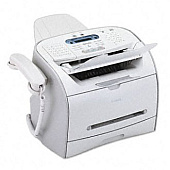
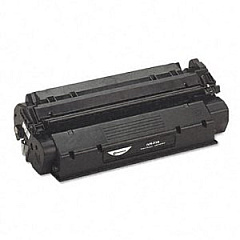
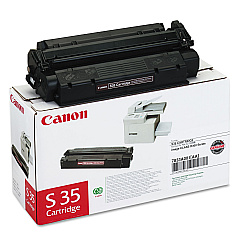
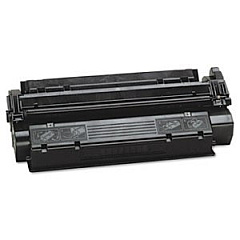
Canon FAXPHONE L170 Black Toner Cartridges

Canon FAXPHONE L170 Warranty and Services

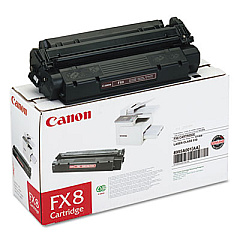
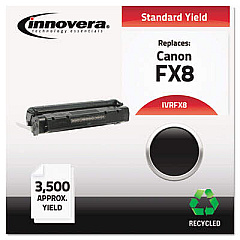
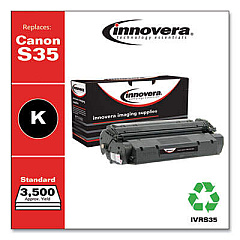
Ensure uninterrupted productivity with genuine Canon FAXPHONE L170 Toner Cartridges. These high-quality consumables are designed specifically for the Canon FAXPHONE L170, delivering crisp, professional-grade prints and faxes. Compatible with both the Canon FX-8 Black Toner Cartridge and the Canon S35 Black Toner Cartridge, these toners offer versatility and convenience for your office needs. Experience consistent, smudge-free output and optimal performance with every page. These toner cartridges are engineered to work seamlessly with your FAXPHONE L170, minimizing paper jams and maximizing efficiency. Whether you're printing important documents or sending crucial faxes, trust in the reliability of genuine Canon toner cartridges. Invest in quality and maintain the longevity of your FAXPHONE L170 with these essential supplies. Keep your communication flowing smoothly and your business running efficiently with Canon FAXPHONE L170 Toner Cartridges.

Canon FAXPHONE L170 Printers Supplies FAQs

  • What is the page yield for Canon FAXPHONE L170 Toner Cartridges?

    The page yield varies depending on the specific cartridge. The Canon FX-8 typically yields around 3,500 pages, while the Canon S35 yields approximately 3,500 pages as well.

  • Are these toner cartridges compatible with other Canon printers?

    These toner cartridges are specifically designed for the Canon FAXPHONE L170. They may not be compatible with other Canon printer models.

  • How long do Canon FAXPHONE L170 Toner Cartridges typically last?

    The lifespan of the toner cartridges depends on usage. Under normal printing conditions, they can last several months to a year.

  • Can I use third-party toner cartridges in my Canon FAXPHONE L170?

    While third-party cartridges may work, using genuine Canon toner cartridges is recommended for optimal performance and to maintain your printer's warranty.

  • How do I install a new toner cartridge in my Canon FAXPHONE L170?

    To install a new cartridge, open the front cover, remove the old cartridge, unpack the new one, and insert it until it clicks into place. Close the cover to complete installation.

  • What should I do with my used toner cartridges?

    Canon offers a recycling program for used toner cartridges. You can return them to Canon or participate in local recycling initiatives.

  • How can I tell when my toner cartridge needs to be replaced?

    Your Canon FAXPHONE L170 will display a message when toner is low. You may also notice a decrease in print quality.

  • Are these toner cartridges available in colors other than black?

    No, the Canon FAXPHONE L170 is a monochrome device, so only black toner cartridges are available for this model.

  • Can I store unused toner cartridges for future use?

    Yes, you can store unused cartridges. Keep them in their original packaging in a cool, dry place away from direct sunlight.

  • What's the difference between the Canon FX-8 and Canon S35 toner cartridges?

    Both cartridges are compatible with the Canon FAXPHONE L170, but they may have slight differences in design or manufacturing. Always check your printer's specifications for the recommended cartridge.

Warehouse Locations

Policy & Agreement | Copyright © 1995-2026 BlueDogInk.com
