







Ads

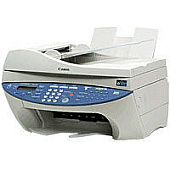
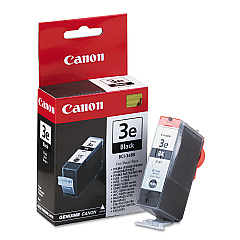
Canon MultiPass F50 Black Ink Cartridges

Canon MultiPass F50 Photo Paper

Ensure your Canon MultiPass F50 printer continues to deliver exceptional prints with our high-quality Canon MultiPass F50 Ink Cartridges. The Canon BCI-3eBk Black Ink Cartridge is specifically designed for optimal performance in your MultiPass F50, providing crisp, clear text and sharp images. These genuine Canon cartridges offer superior print quality, reliability, and longevity compared to generic alternatives. Whether you're printing important business documents, school assignments, or personal projects, our ink cartridges will help you achieve professional results every time. With easy installation and compatibility guaranteed, you can trust these cartridges to keep your MultiPass F50 running smoothly. Don't compromise on quality – choose our Canon MultiPass F50 Ink Cartridges for consistent, high-quality prints that meet all your printing needs.

Canon MultiPass F50 Ink Cartridges FAQs

  • How long does a Canon BCI-3eBk Black Ink Cartridge typically last?

    The lifespan of a cartridge depends on usage, but it typically prints around 500 pages.

  • Are these ink cartridges compatible with other Canon printers?

    The Canon BCI-3eBk is compatible with several Canon printer models, but it's best to check your printer's specifications.

  • How can I tell when my ink cartridge needs to be replaced?

    Your printer will typically alert you when ink levels are low. You may also notice a decrease in print quality.

  • Can I use third-party ink cartridges in my Canon MultiPass F50?

    While third-party cartridges may work, using genuine Canon cartridges ensures optimal print quality and prevents potential printer damage.

  • How should I store unused ink cartridges?

    Store cartridges in a cool, dry place in their original packaging until ready for use.

  • What's the shelf life of an unopened ink cartridge?

    Unopened cartridges typically have a shelf life of 1-2 years from the manufacture date.

  • How do I properly install the ink cartridge in my Canon MultiPass F50?

    Follow the instructions in your printer's manual. Generally, you'll need to open the printer, remove the old cartridge, and insert the new one until it clicks into place.

  • Can I recycle my used ink cartridges?

    Yes, Canon offers a recycling program for used ink cartridges. Check their website for details.

  • What should I do if my printer doesn't recognize the new cartridge?

    Try removing and reinserting the cartridge. If the issue persists, clean the cartridge contacts and try again.

  • Is it normal for ink cartridges to dry out if not used frequently?

    Yes, ink can dry out if the printer is not used regularly. Try printing a test page every few weeks to prevent this.

Warehouse Locations

Policy & Agreement | Copyright © 1995-2026 BlueDogInk.com
