





Ads

Canon PC730 Black Toner Cartridges

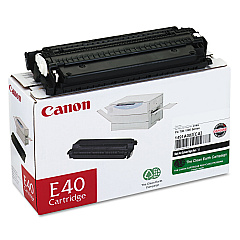
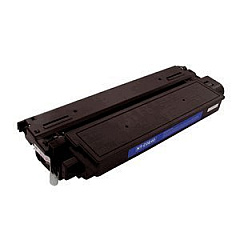
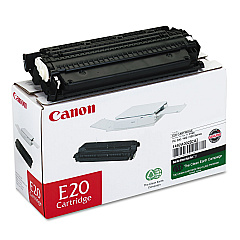
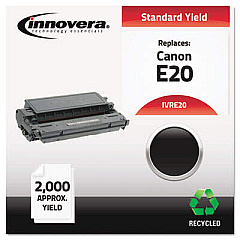
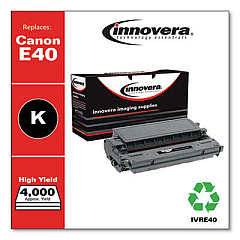
Ensure optimal performance for your Canon PC730 copier with genuine Canon PC730 Toner Cartridges. These high-quality cartridges, including the Canon E20 Black Toner Cartridge and Canon E40 Black Toner Cartridge, are designed to deliver crisp, clear prints with exceptional clarity and consistency. Perfect for businesses, schools, government offices, and healthcare facilities, these toner cartridges offer reliable output for all your document needs. The E20 and E40 cartridges are engineered to work seamlessly with your Canon PC730, minimizing downtime and maximizing productivity. With their long-lasting performance and high page yield, these cartridges provide excellent value for money. Choose genuine Canon toner cartridges to maintain your copier's warranty and ensure the best possible print quality. Trust in Canon's reputation for excellence and keep your PC730 running smoothly with these dependable toner supplies.

Canon PC730 Printers Supplies FAQs

  • What is the difference between the Canon E20 and E40 toner cartridges?

    The E40 typically has a higher page yield than the E20, offering more prints per cartridge.

  • Are these toner cartridges compatible with other Canon copier models?

    While designed for the PC730, these cartridges may be compatible with other Canon models. Check your copier's manual for compatibility.

  • How many pages can I expect to print with these toner cartridges?

    Page yield varies, but the E20 typically produces around 2,000 pages, while the E40 can yield approximately 4,000 pages.

  • Are these genuine Canon toner cartridges?

    Yes, these are genuine Canon toner cartridges, ensuring optimal performance and maintaining your copier's warranty.

  • How long do these toner cartridges typically last?

    Lifespan depends on usage, but under normal conditions, they can last several months to a year.

  • Can I recycle these toner cartridges?

    Yes, Canon offers a recycling program for used toner cartridges. Check their website for details.

  • Do these cartridges come with a warranty?

    Yes, genuine Canon toner cartridges typically come with a manufacturer's warranty.

  • How do I install these toner cartridges in my Canon PC730?

    Installation is simple. Open the copier's front panel, remove the old cartridge, and insert the new one until it clicks into place.

  • Can I use third-party toner cartridges in my Canon PC730?

    While third-party cartridges may work, using genuine Canon cartridges ensures optimal performance and maintains your copier's warranty.

  • How should I store unused toner cartridges?

    Store cartridges in a cool, dry place away from direct sunlight. Keep them in their original packaging until ready for use.

Warehouse Locations

Policy & Agreement | Copyright © 1995-2026 BlueDogInk.com
