










Ads

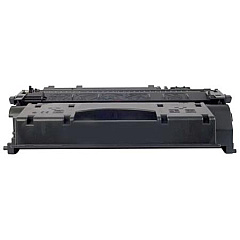
Canon imageCLASS MF5880dn Black Toner Cartridges

Canon imageCLASS MF5880dn Copy Paper

Canon imageCLASS MF5880dn Warranty and Services

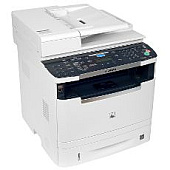
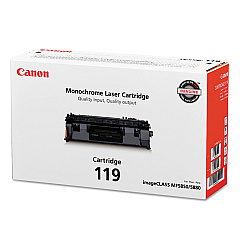
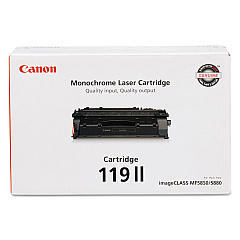
Ensure uninterrupted productivity with genuine Canon imageCLASS MF5880dn Toner Cartridges. These high-quality toner cartridges are designed specifically for the Canon imageCLASS MF5880dn multifunction printer, delivering crisp, professional-grade prints for your business, educational institution, government office, or healthcare facility. Choose between the standard Canon 119 Black Toner Cartridge (3479B001) for everyday printing needs or opt for the high-yield Canon 119 II Black Toner Cartridge (3480B001) to maximize efficiency and reduce replacement frequency. Both options guarantee exceptional print quality, reliability, and cost-effectiveness. By using genuine Canon toner cartridges, you'll protect your printer's performance and ensure consistent, high-quality output for all your important documents. Trust in Canon's superior technology to meet the demanding printing needs of your organization while maintaining optimal print quality and longevity.

Canon imageCLASS MF5880dn Toner Cartridges FAQs

  • What is the page yield for the Canon 119 Black Toner Cartridge?

    The Canon 119 Black Toner Cartridge typically yields approximately 2,100 pages.

  • How many pages can the Canon 119 II Black Toner Cartridge print?

    The Canon 119 II Black Toner Cartridge has a higher yield of approximately 6,400 pages.

  • Are these toner cartridges compatible with other Canon printers?

    These cartridges are specifically designed for the Canon imageCLASS MF5880dn. Always check your printer's compatibility before purchasing.

  • How long do these toner cartridges typically last?

    The lifespan depends on usage, but under normal conditions, they can last several months to a year.

  • Can I use third-party toner cartridges in my Canon imageCLASS MF5880dn?

    While third-party cartridges may work, using genuine Canon cartridges ensures optimal performance and print quality.

  • How do I install a new toner cartridge in the Canon imageCLASS MF5880dn?

    Refer to your printer's user manual for specific instructions, but generally, you'll need to open the front cover, remove the old cartridge, and insert the new one until it clicks into place.

  • What's the difference between the Canon 119 and Canon 119 II toner cartridges?

    The main difference is the page yield. The Canon 119 II has a higher yield, printing about three times as many pages as the standard Canon 119.

  • Are these toner cartridges environmentally friendly?

    Canon has a cartridge recycling program to minimize environmental impact. Check their website for details on how to recycle used cartridges.

  • How should I store unused toner cartridges?

    Store them in a cool, dry place away from direct sunlight. Keep them in their original packaging until ready to use.

  • What should I do if I experience print quality issues with these cartridges?

    First, ensure the cartridge is properly installed. If issues persist, try printing a test page or cleaning the print head. If problems continue, contact Canon support for assistance.

Warehouse Locations

Policy & Agreement | Copyright © 1995-2026 BlueDogInk.com
