










Ads

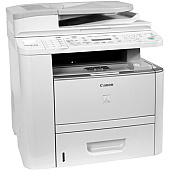
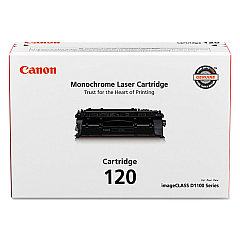
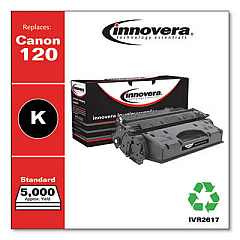
Canon imageCLASS D1180 Black Toner Cartridges

Canon imageCLASS D1180 Toner Set

Canon imageCLASS D1180 Copy Paper

Canon imageCLASS D1180 Warranty and Services

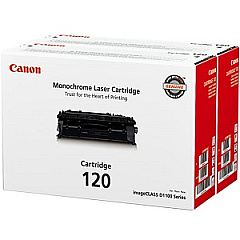
Ensure optimal performance for your Canon imageCLASS D1180 with genuine Canon imageCLASS D1180 Toner Cartridges. These high-quality toner cartridges are designed specifically for the D1180 model, delivering crisp, professional-grade prints for your business, educational institution, government office, or healthcare facility. Choose from the Canon 120 Black Toner Cartridge for standard printing needs or opt for the Canon Cartridge 120 Value Pack to maximize cost-efficiency for high-volume printing. These toner cartridges offer exceptional page yield, consistent print quality, and reliable performance, making them ideal for busy offices and organizations that demand top-notch results. By using genuine Canon toner cartridges, you'll protect your printer's warranty while ensuring the best possible output for all your printing needs. Upgrade your printing experience with Canon imageCLASS D1180 Toner Cartridges and enjoy superior results every time.

Canon imageCLASS D1180 Toner Cartridges FAQs

  • What is the page yield for the Canon 120 Black Toner Cartridge?

    The Canon 120 Black Toner Cartridge typically yields approximately 5,000 pages at 5% coverage.

  • Are these toner cartridges compatible with other Canon printers?

    These toner cartridges are specifically designed for the Canon imageCLASS D1180 and may not be compatible with other printer models.

  • How long do these toner cartridges typically last?

    The lifespan of the toner cartridges depends on usage, but they generally last several months under normal printing conditions.

  • What's included in the Canon Cartridge 120 Value Pack?

    The Canon Cartridge 120 Value Pack typically includes multiple black toner cartridges at a discounted price compared to buying them individually.

  • Can I use third-party toner cartridges in my Canon imageCLASS D1180?

    While third-party cartridges may work, using genuine Canon toner cartridges ensures optimal performance and maintains your printer's warranty.

  • How do I install the toner cartridge in my Canon imageCLASS D1180?

    To install, open the front cover, remove the old cartridge, unpack the new one, and insert it until it clicks into place. Then close the cover.

  • Are these toner cartridges environmentally friendly?

    Canon offers a recycling program for used toner cartridges, promoting environmental sustainability.

  • What should I do if I experience print quality issues?

    First, ensure you're using genuine Canon toner cartridges. If issues persist, try cleaning the printer and checking for any error messages.

  • Can I store unused toner cartridges for later use?

    Yes, store unused cartridges in a cool, dry place away from direct sunlight. Keep them in their original packaging until ready for use.

  • Does using genuine Canon toner cartridges affect my printer's warranty?

    Using genuine Canon toner cartridges helps maintain your printer's warranty, while using third-party cartridges may void it.

Warehouse Locations

Policy & Agreement | Copyright © 1995-2026 BlueDogInk.com
