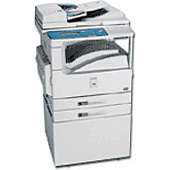






Canon imageCLASS 2300 Multifunction Printers Supplies

Ads

Canon imageCLASS 2300 Photo Paper

Ensure optimal performance and crisp, professional prints with genuine Canon imageCLASS 2300 Toner Cartridges. These high-quality cartridges are specifically designed for the Canon imageCLASS 2300 printer, delivering exceptional results for businesses, educational institutions, government offices, and healthcare facilities. The Canon P Black Toner Cartridge offers superior yield and consistent output, making it an ideal choice for high-volume printing environments. With its advanced formulation, this toner produces sharp text and clear graphics, enhancing the overall quality of your documents. By choosing authentic Canon toner cartridges, you'll maximize your printer's efficiency and extend its lifespan. Experience reliable, cost-effective printing solutions that meet the demands of your organization. Invest in Canon imageCLASS 2300 Toner Cartridges for unparalleled print quality and dependable performance that keeps your operations running smoothly.

Canon imageCLASS 2300 Multifunction Printers Supplies FAQs

  • What is the page yield of the Canon P Black Toner Cartridge?

    The Canon P Black Toner Cartridge typically yields around 10,000 pages at 5% coverage.

  • Is the Canon P Black Toner Cartridge compatible with other printer models?

    The Canon P Black Toner Cartridge is primarily designed for the Canon imageCLASS 2300 printer. It may be compatible with other models, but it's best to check your printer's specifications.

  • How long does the Canon P Black Toner Cartridge last?

    The lifespan of the cartridge depends on usage, but under normal printing conditions, it can last several months to a year.

  • Can I use third-party toner cartridges in my Canon imageCLASS 2300 printer?

    While third-party cartridges may work, using genuine Canon toner cartridges ensures optimal performance and print quality, and maintains your printer's warranty.

  • How do I install the Canon P Black Toner Cartridge?

    Installation is simple: open the printer's front cover, remove the old cartridge, unpack the new one, and insert it until it clicks into place. Refer to your printer's manual for detailed instructions.

  • Are Canon imageCLASS 2300 Toner Cartridges environmentally friendly?

    Yes, Canon has a recycling program for used toner cartridges, promoting environmental sustainability.

  • How can I tell if my Canon P Black Toner Cartridge is running low?

    Your printer will typically display a low toner warning on its control panel or through your computer's print dialog when the cartridge is running low.

  • Can I shake the toner cartridge to extend its life?

    Gently shaking the cartridge can help redistribute toner and temporarily extend its life, but it's not a long-term solution.

  • What should I do if I experience print quality issues with my Canon imageCLASS 2300 Toner Cartridge?

    First, ensure the cartridge is properly installed. If issues persist, try printing a test page or cleaning the printer. If problems continue, the cartridge may need replacement.

  • Where can I purchase genuine Canon imageCLASS 2300 Toner Cartridges?

    You can purchase genuine Canon toner cartridges from authorized retailers, office supply stores, or directly from Canon's website to ensure authenticity.

Warehouse Locations

Policy & Agreement | Copyright © 1995-2026 BlueDogInk.com
