




Ads

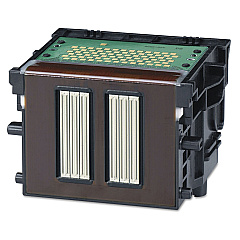
Canon ImagePROGRAF iPF9000S Printheads

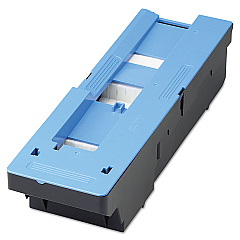
Canon ImagePROGRAF iPF9000S Maintenance Kits

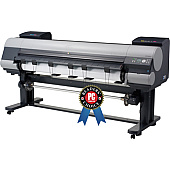
Enhance your large-format printing capabilities with genuine Canon ImagePROGRAF iPF9000S Ink Cartridges. These high-quality consumables are designed to deliver exceptional color accuracy, durability, and longevity for your professional printing needs. The iPF9000S utilizes the Canon MC-08 Maintenance Cartridge to ensure optimal performance and cleanliness of your printer, while the Canon PF-03 Print Head guarantees precise ink placement for stunning results. Whether you're producing vibrant posters, detailed architectural drawings, or eye-catching signage, these ink cartridges provide the reliability and consistency required for demanding print jobs. Compatible with various media types, including glossy paper, matte paper, and canvas, the Canon ImagePROGRAF iPF9000S Ink Cartridges offer versatility for a wide range of applications. Invest in genuine Canon supplies to maximize your printer's potential and achieve professional-grade output every time.

Canon ImagePROGRAF iPF9000S Ink Cartridges FAQs

  • How many ink cartridges does the Canon ImagePROGRAF iPF9000S use?

    The Canon ImagePROGRAF iPF9000S uses 8 individual ink cartridges.

  • What is the purpose of the Canon MC-08 Maintenance Cartridge?

    The Canon MC-08 Maintenance Cartridge collects waste ink and helps maintain the printer's cleanliness and optimal performance.

  • How often should I replace the Canon PF-03 Print Head?

    The Canon PF-03 Print Head typically lasts for the lifetime of the printer, but may need replacement if print quality deteriorates significantly.

  • Are third-party ink cartridges compatible with the Canon ImagePROGRAF iPF9000S?

    While third-party cartridges may work, using genuine Canon ink cartridges is recommended for optimal print quality and to maintain warranty coverage.

  • What is the shelf life of unopened Canon ImagePROGRAF iPF9000S Ink Cartridges?

    Unopened ink cartridges typically have a shelf life of 6 months to 1 year, depending on storage conditions.

  • Can I use the same ink cartridges for different Canon ImagePROGRAF models?

    Ink cartridge compatibility varies between models. Always check your printer's specifications to ensure you're using the correct cartridges.

  • How do I know when it's time to replace an ink cartridge?

    The printer's control panel will display a warning message when ink levels are low and need replacement.

  • What should I do if I experience print quality issues with my Canon ImagePROGRAF iPF9000S?

    First, check ink levels and replace any empty cartridges. If issues persist, run a nozzle check and cleaning cycle, or consider replacing the print head.

  • Are Canon ImagePROGRAF iPF9000S Ink Cartridges refillable?

    Canon does not recommend refilling ink cartridges as it may compromise print quality and potentially damage the printer.

  • What is the average page yield for Canon ImagePROGRAF iPF9000S Ink Cartridges?

    Page yield varies depending on the specific cartridge and print content. Refer to the product specifications for estimated yields of individual cartridges.

Warehouse Locations

Policy & Agreement | Copyright © 1995-2026 BlueDogInk.com
