





Ads

Canon PC735 Black Toner Cartridges

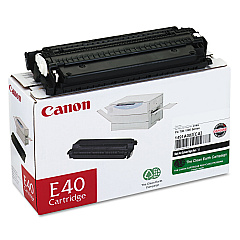
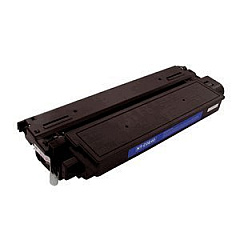
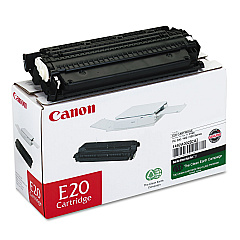
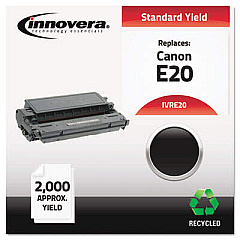
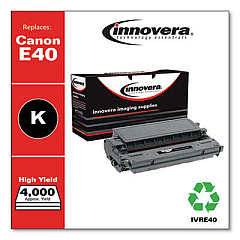
Ensure optimal performance for your Canon PC735 copier with genuine Canon PC735 Toner Cartridges. These high-quality cartridges, including the Canon E20 Black Toner Cartridge and Canon E40 Black Toner Cartridge, are designed to deliver crisp, clear prints every time. Perfect for businesses, schools, government offices, and healthcare facilities, these toner cartridges offer exceptional value and reliability. The E20 and E40 cartridges are engineered to work seamlessly with your Canon PC735, providing consistent output and reducing downtime. With their high yield and superior print quality, these cartridges help maximize productivity while minimizing costs. Trust in Canon's reputation for excellence and choose these authentic toner cartridges to keep your Canon PC735 running smoothly. Whether you're printing important documents or making multiple copies, these toner cartridges ensure professional results that meet your high standards.

Canon PC735 Printers Supplies FAQs

  • What is the difference between the Canon E20 and E40 toner cartridges?

    The main difference is the page yield. The E40 typically has a higher page yield than the E20, allowing for more prints before replacement.

  • Are these toner cartridges compatible with other Canon printers?

    While designed for the Canon PC735, these cartridges may be compatible with other Canon models. Always check your printer's specifications for compatibility.

  • How long do these toner cartridges typically last?

    The lifespan depends on usage, but on average, the E20 yields about 2,000 pages, while the E40 yields about 4,000 pages.

  • Can I use third-party toner cartridges in my Canon PC735?

    While third-party cartridges may work, using genuine Canon cartridges ensures optimal performance and prevents potential damage to your printer.

  • How do I install a new toner cartridge in my Canon PC735?

    Open the front cover, remove the old cartridge, unpack the new one, and insert it until it clicks into place. Close the cover to complete installation.

  • What should I do with my used toner cartridges?

    Canon offers a recycling program for used cartridges. You can also check with local office supply stores for recycling options.

  • How can I extend the life of my toner cartridge?

    Use draft mode for non-critical prints, print in black and white when possible, and keep your printer in a cool, dry place.

  • Do these toner cartridges come with a warranty?

    Yes, genuine Canon toner cartridges typically come with a limited warranty against defects in materials and workmanship.

  • How do I know when it's time to replace my toner cartridge?

    Your Canon PC735 will display a low toner warning. You may also notice faded or streaky prints when the toner is low.

  • Can I store unused toner cartridges for long periods?

    Yes, store unopened cartridges in a cool, dry place away from direct sunlight. They typically have a shelf life of 1-2 years.

Warehouse Locations

Policy & Agreement | Copyright © 1995-2026 BlueDogInk.com
