





Ads

Brother IntelliFax-875MC Fax Supplies

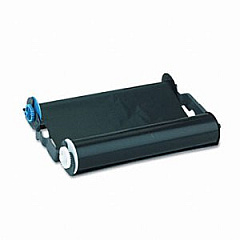
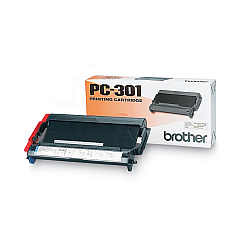
Ensure your Brother IntelliFax-875MC printer operates at peak performance with our comprehensive range of Brother IntelliFax-875MC Printers Supplies. Our selection includes the essential Brother PC301 Print Cartridge, designed specifically for this model to deliver crisp, clear prints and faxes. These high-quality supplies are engineered to meet Brother's exacting standards, guaranteeing optimal output and reliability for your business communications. Whether you're printing important documents, sending faxes, or making copies, our genuine Brother supplies will help maintain your printer's efficiency and extend its lifespan. Don't compromise on quality – choose our Brother IntelliFax-875MC Printers Supplies for consistent, professional results every time. Stock up now to avoid interruptions in your workflow and keep your office running smoothly.

Brother IntelliFax-875MC Printers Supplies FAQs

  • How often should I replace the Brother PC301 Print Cartridge?

    The replacement frequency depends on usage, but typically every 250 pages or when print quality diminishes.

  • Are compatible cartridges available for the Brother IntelliFax-875MC?

    While compatible cartridges exist, we recommend using genuine Brother supplies for optimal performance and to maintain warranty coverage.

  • Can I use the Brother PC301 Print Cartridge in other Brother printer models?

    The PC301 is designed specifically for certain IntelliFax models. Check your printer's manual for compatibility.

  • How long does a Brother PC301 Print Cartridge last if unopened?

    Unopened cartridges typically have a shelf life of 1-2 years when stored properly in a cool, dry place.

  • Does the Brother IntelliFax-875MC use separate ink and toner?

    No, it uses a single PC301 Print Cartridge that contains both the drum and toner.

  • Can I recycle used Brother PC301 Print Cartridges?

    Yes, Brother offers a recycling program for used cartridges. Check their website for details.

  • How can I tell if my Brother PC301 Print Cartridge is running low?

    The printer will display a 'Toner Low' message when the cartridge is nearing the end of its life.

  • Are there any maintenance kits available for the Brother IntelliFax-875MC?

    Brother doesn't offer specific maintenance kits for this model, but regular cleaning and cartridge replacement will keep it running smoothly.

  • Can I use the Brother IntelliFax-875MC as a regular printer?

    Yes, in addition to faxing, it can function as a printer, copier, and scanner.

  • What should I do if I experience poor print quality with my Brother IntelliFax-875MC?

    First, try cleaning the print head. If issues persist, you may need to replace the PC301 Print Cartridge.

Warehouse Locations

Policy & Agreement | Copyright © 1995-2026 BlueDogInk.com
