




Ads

Brother IntelliFax 770 Fax Supplies

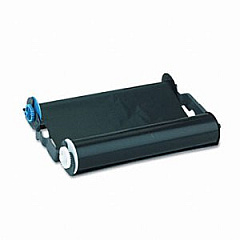
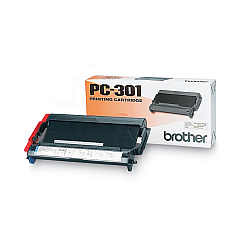
Ensure your Brother IntelliFax 770 printer operates at peak performance with our high-quality Brother IntelliFax 770 Printers Supplies. The Brother PC301 Print Cartridge is the essential component for maintaining crisp, clear faxes and copies. This reliable cartridge is designed specifically for the IntelliFax 770 model, guaranteeing compatibility and optimal results. With a generous yield, it minimizes interruptions and keeps your office running smoothly. Our supplies are genuine Brother products, ensuring the best print quality and longevity for your machine. Whether you're in a busy corporate environment, educational institution, healthcare facility, or government office, these supplies meet the demands of high-volume faxing and copying. Don't compromise on quality – choose our Brother IntelliFax 770 Printers Supplies for consistent, professional results every time.

Brother IntelliFax 770 Printers Supplies FAQs

  • How many pages can the Brother PC301 Print Cartridge print?

    The Brother PC301 Print Cartridge typically yields around 250 pages.

  • Is the Brother PC301 Print Cartridge compatible with other Brother printer models?

    The PC301 is specifically designed for the IntelliFax 770 and may not be compatible with other models. Always check your printer's manual for the correct cartridge.

  • How often should I replace the print cartridge in my Brother IntelliFax 770?

    Replacement frequency depends on usage, but typically when print quality diminishes or the low ink indicator appears.

  • Can I use third-party cartridges in my Brother IntelliFax 770?

    While third-party cartridges may work, using genuine Brother supplies ensures the best print quality and protects your printer's warranty.

  • How do I install the Brother PC301 Print Cartridge?

    Open the front cover, remove the old cartridge, unpack the new one, and insert it until it clicks into place. Close the cover to complete installation.

  • What should I do if my IntelliFax 770 shows a 'Replace Drum' message?

    The IntelliFax 770 uses a separate drum unit. If you see this message, you'll need to replace the drum unit, not the print cartridge.

  • Can I recycle my used Brother PC301 Print Cartridges?

    Yes, Brother offers a recycling program for used cartridges. Check their website for details on how to participate.

  • Does the Brother PC301 Print Cartridge come with a warranty?

    Yes, genuine Brother cartridges typically come with a limited warranty. Check the packaging or Brother's website for specific warranty information.

  • How can I extend the life of my Brother PC301 Print Cartridge?

    To extend cartridge life, use draft mode for non-essential prints, avoid leaving the printer idle for long periods, and store cartridges in a cool, dry place.

  • What's the shelf life of an unopened Brother PC301 Print Cartridge?

    Unopened cartridges typically have a shelf life of 1-2 years. Always check the expiration date on the package before use.

Warehouse Locations

Policy & Agreement | Copyright © 1995-2026 BlueDogInk.com
