





Ads

Brother IntelliFax 750 Fax Supplies

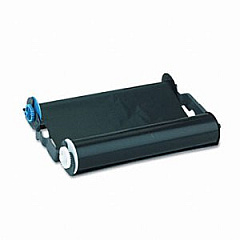
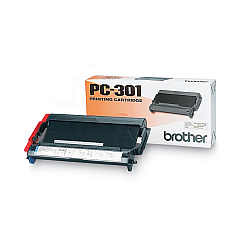
Ensure your Brother IntelliFax 750 printer operates at peak performance with our high-quality Brother IntelliFax 750 Printers Supplies. The Brother PC301 Print Cartridge is the essential component for this reliable fax machine, delivering crisp, clear prints for all your business communications. Designed specifically for the IntelliFax 750 model, this cartridge guarantees compatibility and optimal results. Whether you're in a busy office, healthcare facility, or educational institution, these supplies will keep your fax machine running smoothly. With our genuine Brother supplies, you'll experience consistent print quality, reduced downtime, and extended printer life. Don't compromise on your fax machine's performance – choose the Brother PC301 Print Cartridge for your IntelliFax 750 and enjoy dependable, professional-grade output for all your faxing needs. Stock up on these essential supplies to ensure uninterrupted productivity in your workplace.

Brother IntelliFax 750 Printers Supplies FAQs

  • How many pages can the Brother PC301 Print Cartridge print?

    The Brother PC301 Print Cartridge can print approximately 250 pages.

  • Is the Brother PC301 Print Cartridge compatible with other Brother fax machines?

    The PC301 cartridge is specifically designed for the IntelliFax 750 and may not be compatible with other models. Always check your printer's manual for the correct cartridge type.

  • How often should I replace the print cartridge in my Brother IntelliFax 750?

    Replace the cartridge when print quality diminishes or when the machine indicates low toner. This varies based on usage but is typically every 250 pages.

  • Can I use third-party cartridges in my Brother IntelliFax 750?

    While third-party cartridges may work, using genuine Brother supplies ensures optimal performance and protects your printer's warranty.

  • How do I install the Brother PC301 Print Cartridge?

    Open the front cover, remove the old cartridge, unpack the new one, and insert it until it clicks into place. Close the cover to complete installation.

  • Does the Brother IntelliFax 750 require any other supplies besides the PC301 cartridge?

    The PC301 cartridge is the primary consumable, but you may also need to replace the drum unit periodically for optimal performance.

  • How can I extend the life of my Brother PC301 Print Cartridge?

    To extend cartridge life, use draft mode for non-critical documents, print in grayscale when possible, and avoid opening the printer unnecessarily.

  • Is the Brother PC301 Print Cartridge recyclable?

    Yes, Brother offers a recycling program for used cartridges. Check their website for details on how to participate.

  • Can I store extra Brother PC301 Print Cartridges for future use?

    Yes, store cartridges in a cool, dry place away from direct sunlight. Properly stored cartridges can last up to two years.

  • What should I do if my Brother IntelliFax 750 shows a 'Toner Low' message?

    When you see this message, order a new PC301 cartridge. You can continue printing until quality diminishes, then replace the cartridge.

Warehouse Locations

Policy & Agreement | Copyright © 1995-2026 BlueDogInk.com
