




Ads

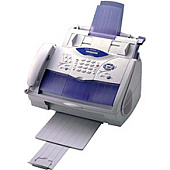
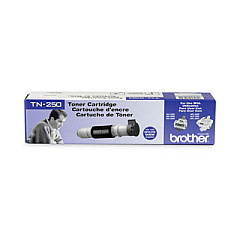
Brother IntelliFAX 2900 Black Toner Cartridges

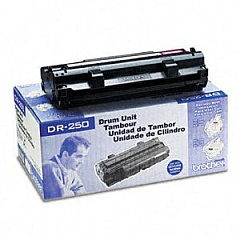
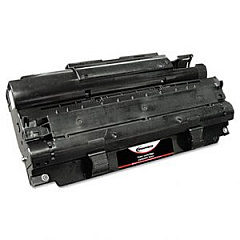
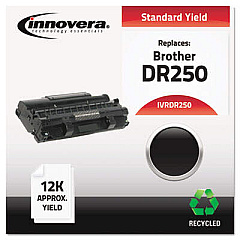
Brother IntelliFAX 2900 Drum Units

Ensure uninterrupted productivity with genuine Brother IntelliFAX 2900 Toner Cartridges. These high-quality supplies are specifically designed for optimal performance in your Brother IntelliFAX 2900 machine, delivering crisp, professional-grade prints every time. The Brother DR250 Drum Unit and Brother TN250 Black Toner Cartridge work seamlessly together to produce sharp text and clear images, making them ideal for businesses, educational institutions, government offices, and healthcare facilities. With these reliable cartridges, you'll experience fewer paper jams and reduced downtime, allowing you to focus on your core tasks. Easy to install and offering excellent page yields, these Brother IntelliFAX 2900 Toner Cartridges provide a cost-effective solution for all your printing needs. Don't compromise on quality – choose genuine Brother supplies to maintain your fax machine's performance and extend its lifespan.

Brother IntelliFAX 2900 Printers Supplies FAQs

  • How long do Brother IntelliFAX 2900 Toner Cartridges typically last?

    The Brother TN250 Black Toner Cartridge typically yields around 2,200 pages, while the Brother DR250 Drum Unit lasts for approximately 12,000 pages. However, actual yield may vary depending on printing habits and document types.

  • Are these cartridges compatible with other Brother printer models?

    While these cartridges are designed specifically for the Brother IntelliFAX 2900, they may be compatible with other Brother models. It's best to check your printer's manual or the Brother website for compatibility information.

  • How can I tell when it's time to replace my toner cartridge?

    Your Brother IntelliFAX 2900 will typically display a 'Toner Low' or 'Replace Toner' message when it's time to change the cartridge. You may also notice a decrease in print quality.

  • Can I use third-party or refilled cartridges in my Brother IntelliFAX 2900?

    While third-party cartridges may work, using genuine Brother cartridges ensures optimal performance and print quality. Using non-Brother cartridges may void your warranty.

  • How should I store unused toner cartridges?

    Store unused cartridges in a cool, dry place away from direct sunlight. Keep them in their original packaging until you're ready to use them to protect them from damage and extend their shelf life.

  • What's the difference between the toner cartridge and the drum unit?

    The toner cartridge contains the ink powder, while the drum unit transfers the toner onto the paper. The drum unit typically lasts longer than the toner cartridge and needs to be replaced less frequently.

  • How do I properly recycle used toner cartridges?

    Brother offers a free recycling program for used cartridges. You can also check with local office supply stores or recycling centers for toner cartridge recycling options.

  • Can I shake the toner cartridge to extend its life?

    Gently shaking the cartridge from side to side can help redistribute the toner and potentially get a few more prints out of it. However, this is a temporary solution and the cartridge will still need to be replaced soon.

  • How do I install a new toner cartridge in my Brother IntelliFAX 2900?

    Open the front cover, remove the old cartridge, unpack the new one, and insert it firmly into the machine until it clicks into place. Close the front cover to complete the installation.

  • What should I do if I get toner on my hands or clothes?

    If you get toner on your skin, wash it off with cold water and soap. For clothes, shake off as much toner as possible and wash in cold water. Avoid using hot water as it can set the toner into the fabric.

Warehouse Locations

Policy & Agreement | Copyright © 1995-2026 BlueDogInk.com
