





Ads

Brother IntelliFax 1170 Fax Supplies

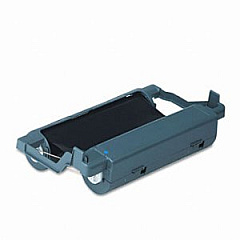
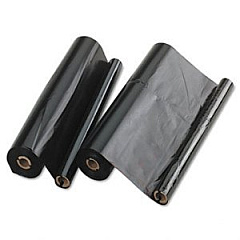
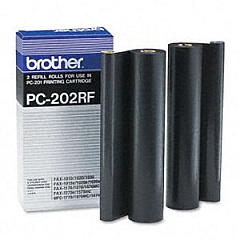
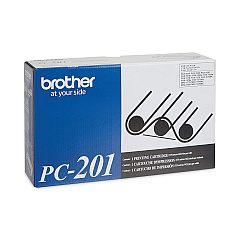
Discover top-quality Brother IntelliFax 1170 Printers Supplies at BlueDogInk.com. Our comprehensive selection includes the essential Brother PC201 Print Cartridge and Brother PC202RF Refill Rolls, ensuring your fax machine operates at peak performance. These genuine Brother supplies are designed specifically for the IntelliFax 1170 model, guaranteeing crisp, clear faxes and reliable operation. The PC201 Print Cartridge offers long-lasting performance, while the PC202RF Refill Rolls provide a cost-effective solution for high-volume faxing needs. By choosing authentic Brother supplies, you'll maximize your machine's lifespan and maintain professional-quality output. Whether you're in a busy office or managing a home-based business, our Brother IntelliFax 1170 Printers Supplies will keep your communication flowing smoothly. Trust BlueDogInk.com for all your fax machine supply needs and experience the difference in quality and reliability.

Brother IntelliFax 1170 Printers Supplies FAQs

  • How often should I replace the Brother PC201 Print Cartridge?

    The replacement frequency depends on usage, but typically every 450 pages or when print quality diminishes.

  • Are the Brother PC202RF Refill Rolls compatible with other IntelliFax models?

    The PC202RF Refill Rolls are designed for specific models, including the IntelliFax 1170. Always check your printer's compatibility before purchasing.

  • Can I use third-party supplies in my Brother IntelliFax 1170?

    While third-party supplies may work, using genuine Brother supplies ensures optimal performance and prevents potential damage to your machine.

  • How many pages can I print with one Brother PC201 Print Cartridge?

    The Brother PC201 Print Cartridge typically yields around 450 pages, depending on the content and print settings.

  • What's the difference between the PC201 Print Cartridge and PC202RF Refill Rolls?

    The PC201 is a complete cartridge, while the PC202RF are refill rolls that replace only the ink ribbon in compatible cartridges.

  • How do I install the Brother PC201 Print Cartridge?

    Open the front cover, remove the old cartridge, unpack the new one, and insert it until it clicks into place. Then close the cover.

  • Can I recycle used Brother IntelliFax 1170 supplies?

    Yes, Brother offers a recycling program for used cartridges and supplies. Check their website for details on how to participate.

  • How long do unopened Brother IntelliFax 1170 supplies last?

    Unopened supplies typically last 2-3 years when stored in a cool, dry place away from direct sunlight.

  • Do you offer bulk discounts on Brother IntelliFax 1170 supplies?

    Yes, we offer discounts on bulk orders. Please contact our customer service for more information on volume pricing.

  • What should I do if my IntelliFax 1170 shows a 'Replace Drum' message?

    This message indicates it's time to replace the PC201 Print Cartridge. Follow the installation instructions to insert a new cartridge.

Warehouse Locations

Policy & Agreement | Copyright © 1995-2026 BlueDogInk.com
