









Ads

Brother HL-6050DW Black Toner Cartridges

Brother HL-6050DW Drum Units

Brother HL-6050DW Copy Paper

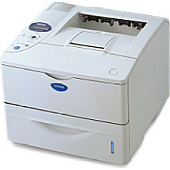
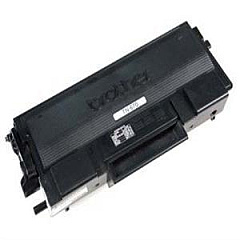
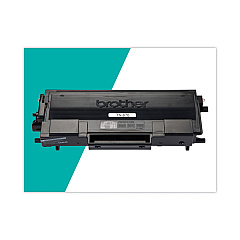
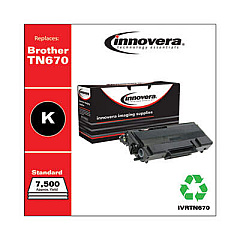
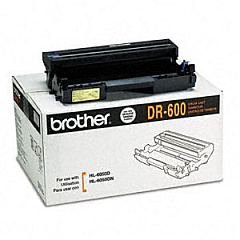
Ensure uninterrupted, high-quality printing with genuine Brother HL-6050DW Toner Cartridges. These reliable supplies are specifically designed for optimal performance in your Brother HL-6050DW printer, delivering crisp, professional-grade documents every time. The Brother DR600 Drum Unit offers long-lasting durability, while the Brother TN670 Black Toner Cartridge provides exceptional yield and consistent output. Whether you're printing in high volumes for business, education, healthcare, or government applications, these cartridges maintain superior print quality throughout their lifespan. By choosing authentic Brother HL-6050DW Toner Cartridges, you're investing in dependable performance, reduced downtime, and cost-effective printing solutions. Experience the difference in print clarity and efficiency that only genuine Brother supplies can offer, ensuring your printer operates at its best for all your critical document needs.

Brother HL-6050DW Toner Cartridges FAQs

  • How often should I replace the Brother DR600 Drum Unit?

    The Brother DR600 Drum Unit typically needs replacement after approximately 30,000 pages, depending on usage.

  • What is the page yield of the Brother TN670 Black Toner Cartridge?

    The Brother TN670 Black Toner Cartridge has an approximate yield of 7,500 pages at 5% coverage.

  • Are these toner cartridges compatible with other Brother printer models?

    These cartridges are specifically designed for the Brother HL-6050DW. Always check your printer's manual for compatible cartridge models.

  • How can I tell when it's time to replace my toner cartridge?

    Your printer will display a 'Toner Low' or 'Replace Toner' message when it's time to change the cartridge.

  • Can I use third-party toner cartridges in my Brother HL-6050DW?

    While third-party cartridges may work, using genuine Brother cartridges ensures optimal print quality and prevents potential damage to your printer.

  • How should I store unused toner cartridges?

    Store unused cartridges in a cool, dry place away from direct sunlight. Keep them in their original packaging until ready for use.

  • Is it normal for the printer to continue printing after the 'Toner Low' message appears?

    Yes, you can continue printing for a short while after the 'Toner Low' message appears, but print quality may decline.

  • How do I properly recycle used toner cartridges?

    Brother offers a free recycling program for used cartridges. Visit their website or check with local office supply stores for recycling options.

  • Can I shake the toner cartridge to extend its life?

    Gently shaking the cartridge can help redistribute toner and slightly extend its life, but this is a temporary solution.

  • What's the difference between the drum unit and the toner cartridge?

    The drum unit transfers toner to the paper, while the toner cartridge contains the actual toner powder. The drum unit typically lasts longer than toner cartridges.

Warehouse Locations

Policy & Agreement | Copyright © 1995-2026 BlueDogInk.com
