





Ads

Brother IntelliFAX 2820 Black Toner Cartridges

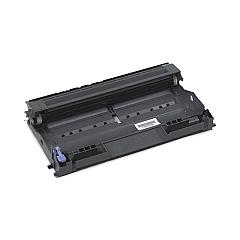
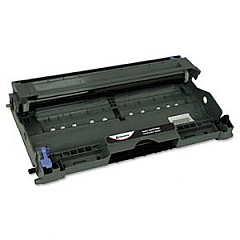
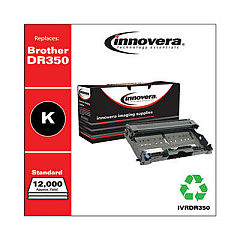
Brother IntelliFAX 2820 Drum Units

Brother IntelliFAX 2820 Photo Paper

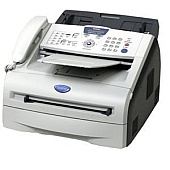
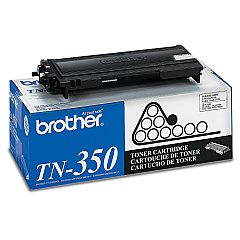
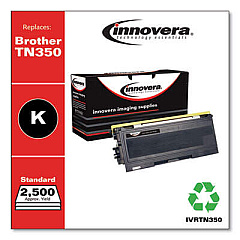
Ensure uninterrupted productivity with genuine Brother IntelliFAX 2820 Toner Cartridges. These high-quality supplies are designed specifically for your Brother IntelliFAX 2820 printer, delivering crisp, professional-grade output for all your business documents. The Brother DR350 Drum Unit and Brother TN350 Black Toner Cartridge work in perfect harmony to produce sharp text and clear images, page after page. With a generous yield, these cartridges minimize downtime and reduce overall printing costs. Easy to install and environmentally friendly, these OEM cartridges maintain your printer's warranty while providing consistent, reliable performance. Whether you're printing important contracts, detailed reports, or everyday correspondence, Brother IntelliFAX 2820 Toner Cartridges ensure your documents make a lasting impression. Trust in Brother's commitment to quality and experience the difference in your prints today.

Brother IntelliFAX 2820 Printers Supplies FAQs

  • How often should I replace the Brother DR350 Drum Unit?

    The Brother DR350 Drum Unit typically needs replacement after approximately 12,000 pages, depending on usage.

  • What is the page yield of the Brother TN350 Black Toner Cartridge?

    The Brother TN350 Black Toner Cartridge has an estimated yield of about 2,500 pages at 5% coverage.

  • Are these cartridges compatible with other Brother printer models?

    While designed for the IntelliFAX 2820, these cartridges may be compatible with other Brother models. Check your printer's manual or Brother's website for compatibility information.

  • How can I tell when it's time to replace my toner cartridge?

    Your printer will typically display a 'Toner Low' or 'Replace Toner' message when it's time to change the cartridge.

  • Can I use third-party or remanufactured cartridges in my Brother IntelliFAX 2820?

    While third-party cartridges may work, using genuine Brother cartridges ensures optimal print quality and maintains your printer's warranty.

  • How should I store unused toner cartridges?

    Store unused cartridges in a cool, dry place away from direct sunlight. Keep them in their original packaging until ready for use.

  • Is it normal for the printer to continue printing after the 'Toner Low' message appears?

    Yes, the printer can continue to print for a while after the 'Toner Low' message appears, but print quality may gradually decrease.

  • How do I properly recycle used toner cartridges?

    Brother offers a free recycling program for used cartridges. You can also check with local office supply stores for recycling options.

  • Can I save money by buying toner cartridges in bulk?

    Yes, purchasing multi-packs of toner cartridges can often result in cost savings compared to buying individual cartridges.

  • What should I do if I experience print quality issues with new cartridges?

    First, ensure the cartridge is properly installed. If issues persist, try printing a test page or cleaning the printer. If problems continue, contact Brother support for assistance.

Warehouse Locations

Policy & Agreement | Copyright © 1995-2026 BlueDogInk.com
