









Ads

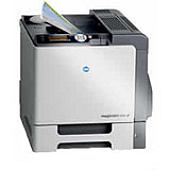
Konica Minolta Magicolor 5550 Copy Paper

Enhance your printing experience with genuine Konica Minolta Magicolor 5550 Toner Cartridges. These high-quality supplies ensure optimal performance and vibrant output for your Magicolor 5550 printer. The comprehensive range includes the A03100F Black, A03105F Yellow, A0310AF Magenta, and A0310GF Cyan Imaging Units, delivering crisp text and vivid colors. The A06X013 Waste Toner Bottle efficiently collects excess toner, maintaining a clean printing environment. These cartridges are designed to maximize print quality, minimize downtime, and extend the life of your printer. Whether you're printing business documents, marketing materials, or high-resolution images, Konica Minolta Magicolor 5550 Toner Cartridges provide reliable, professional results. Trust in the superior quality and consistency of genuine Konica Minolta supplies to meet the demands of your busy office, educational institution, healthcare facility, or wholesale operation.

Konica Minolta Magicolor 5550 Toner Cartridges FAQs

  • How long do Konica Minolta Magicolor 5550 Toner Cartridges typically last?

    The lifespan of these cartridges varies depending on usage, but they generally last for several thousand pages.

  • Are these toner cartridges compatible with other Konica Minolta printers?

    These cartridges are specifically designed for the Magicolor 5550 model and may not be compatible with other printers.

  • How can I tell when it's time to replace my toner cartridge?

    Your printer will typically display a low toner warning when it's time to replace the cartridge.

  • Can I use third-party toner cartridges in my Konica Minolta Magicolor 5550?

    While third-party cartridges may work, using genuine Konica Minolta cartridges ensures optimal performance and print quality.

  • How should I store unused toner cartridges?

    Store cartridges in a cool, dry place away from direct sunlight and extreme temperatures.

  • What's the difference between an imaging unit and a toner cartridge?

    An imaging unit contains the photoconductor drum and develops the image, while the toner cartridge holds the actual toner powder.

  • How often should I replace the waste toner bottle?

    Replace the waste toner bottle when prompted by your printer, typically after several toner cartridge changes.

  • Are these toner cartridges environmentally friendly?

    Konica Minolta offers a recycling program for used cartridges to minimize environmental impact.

  • Can I replace individual color cartridges, or do I need to replace all colors at once?

    You can replace individual color cartridges as needed, which helps reduce waste and cost.

  • What should I do if I experience print quality issues after installing a new cartridge?

    Try running a printer cleaning cycle or calibration. If issues persist, contact Konica Minolta support for assistance.

Warehouse Locations

Policy & Agreement | Copyright © 1995-2026 BlueDogInk.com
