





Ads

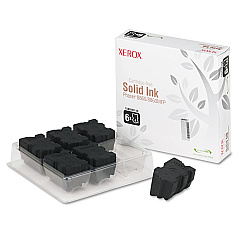
Xerox Phaser 8860MFP Black Ink Cartridges

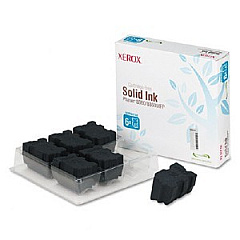
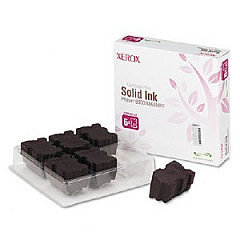
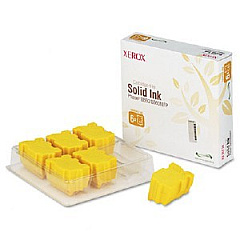
Xerox Phaser 8860MFP Color Ink Cartridges

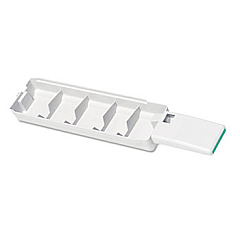
Xerox Phaser 8860MFP Waste Toner Kits

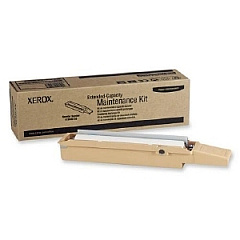
Xerox Phaser 8860MFP Maintenance Kits

Xerox Phaser 8860MFP Printer Accessories

Xerox Phaser 8860MFP Printer Parts

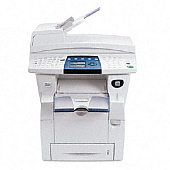
Enhance your printing experience with genuine Xerox Phaser 8860MFP Ink Cartridges. This versatile multifunction printer delivers exceptional color quality and cost-effective performance for businesses, schools, and healthcare facilities. The 8860MFP utilizes solid ink technology, offering vibrant cyan, magenta, yellow, and black cartridges for stunning prints. Maintain optimal performance with the waste tray and maintenance kit, ensuring longevity and reliability. The included cleaning kit keeps your printer in top condition, while the printer cart provides convenient storage and mobility. Whether you're printing high-volume documents or colorful presentations, these Xerox Phaser 8860MFP Ink Cartridges deliver professional results every time. Maximize your productivity and minimize waste with these eco-friendly, easy-to-install supplies designed specifically for your Xerox Phaser 8860MFP.

Xerox Phaser 8860MFP Printers Supplies FAQs

  • How long do Xerox Phaser 8860MFP ink cartridges last?

    The lifespan of ink cartridges varies depending on usage, but typically they can print several thousand pages before needing replacement.

  • Are these ink cartridges compatible with other Xerox printers?

    No, these cartridges are specifically designed for the Xerox Phaser 8860MFP and may not be compatible with other models.

  • How often should I replace the waste tray?

    The waste tray should be replaced when indicated by the printer, typically after several thousand prints.

  • What is included in the maintenance kit?

    The maintenance kit (113R00736) includes essential components to keep your printer running smoothly, such as rollers and other wear items.

  • Can I use third-party ink cartridges with this printer?

    While third-party cartridges may work, using genuine Xerox supplies ensures optimal performance and print quality.

  • How do I install the solid ink cartridges?

    Simply open the ink loader door, insert the color-coded ink sticks into their corresponding slots, and close the door.

  • What is the purpose of the cleaning kit?

    The cleaning kit helps maintain print quality by allowing you to clean the printer's internal components and remove any ink residue.

  • Is the printer cart necessary for operation?

    No, the printer cart is optional but provides convenient storage and mobility for your Xerox Phaser 8860MFP.

  • How environmentally friendly are these ink cartridges?

    Xerox solid ink cartridges produce minimal waste and are designed with environmental sustainability in mind.

  • Can I recycle used ink cartridges and waste trays?

    Yes, Xerox offers recycling programs for used cartridges and supplies. Check their website for details on how to participate.

Warehouse Locations

Policy & Agreement | Copyright © 1995-2026 BlueDogInk.com
